

By Erik Siera, Channel Sales Manager Benelux, Nordics & Baltics at ProDVX
Whenever I talk to customers about Android devices, security almost always becomes part of the conversation. Whether they're deploying ten devices or several thousand, I usually get asked the same three questions.
They're all important questions, but the answers aren't always as straightforward as people expect. That's mainly because Android security involves several different layers, and some of those depend on the type of device you're using. So, let me walk you through these questions the same way I usually explain them during customer conversations.
The first thing I always explain is that it depends on which type of Android device you're using. That distinction is more important than many people initially realise.
EDLA-certified devices (such as the APPC-10SLBe)
If you're using an EDLA-certified device, such as the APPC-10SLBe, security updates are issued by ProDVX every quarter, so four times a year.
If automatic updates are enabled through your Enterprise Mobility Management (EMM) or Mobile Device Management (MDM) solution, the entire process is automatic. Updates are downloaded and applied without anyone having to manually intervene.
In other words, once everything is configured correctly, you don't need to plan for updates, chase them, or remember when they're due. They simply happen in the background according to your management policy.
AOSP-based devices (such as the APPC-10S series)
Now, if you're using an AOSP-based device, like the APPC-10S series, the update process works a little differently. Devices that are part of our main product line, will receive firmware updates twice per year. These updates include features, security patches and major bug fixes to name a few.
Older Android versions under ProSECURE will receive firmware updates at the start of the year, that include security patches, patches for major bugs and system certificates.
So those firmware releases don't just contain security patches. They can also include bug fixes, performance improvements, new functionalities and other enhancements.
The deployment process itself is actually very similar to EDLA devices. You can distribute updates using your MDM solution and even automate deployment within your environment if that's how you've configured your device management platform. The difference is that you need to keep track of when new firmware becomes available and determine whether it's appropriate for the environment of the customer before rolling it out.
This is exactly where a management solution like ProMGR, or another third-party MDM platform, can make a real difference. Instead of updating devices one by one, you can manage your entire fleet from a central platform. With an optional subscription, firmware updates can also be deployed remotely across all devices, significantly reducing both the time and effort required to keep your deployment up to date.
This is probably the question that surprises customers the most. Many people assume Google's Android security support starts when they purchase the device or when they deploy it. In reality, that's not how it works.
Google's Android core security support follows a fixed timeline of three years, but that timeline starts when Google releases that Android version, not when you buy, receive or install the device. So, depending on when you purchase your hardware, part of Google's official support period may already have passed before the device is even installed. I've spoken with customers who were convinced they still had several years of security support remaining, only to discover they had considerably less time than expected. It's not because anyone made a mistake. It's simply the way the Android lifecycle is designed.
That's exactly why we developed ProSECURE. ProSECURE extends security support for an additional three years beyond Google's official support period. During that extended support period, devices continue receiving protection through:
For devices that are part of our main product line, firmware is released twice a year. Older device models that are no longer actively being sold, continue to receive one firmware release per year. Those additional years of support can make a significant difference. Not only do they help organizations maintain a stronger security posture, but they also extend the usable lifetime of their hardware. For many customers, that means delaying expensive hardware replacement projects while lowering the overall total cost of ownership.
This is one of the most practical questions I get, especially from organisations deploying devices in public spaces or other shared environments. The answer really depends on how much control you want to have, but what I usually explain is that there isn't just one security feature that solves everything. Instead, there are several security layers that work together.
Those layers include Android itself, ProMGR, third-party software, and integrations through the ProDVX API. Let's go through those layers.
Kiosk Mode
For most deployments, kiosk mode is the logical starting point. Kiosk mode allows you to lock the device to a single application, a limited set of approved applications, or even one specific website.
That means users can't leave that environment, open Android settings or install additional software. Everything is managed centrally through ProMGR, making it easy to configure once and deploy consistently across your entire fleet.
Public PIN
Sometimes you need users to have limited access without giving them full control over the device. That's exactly where the Public PIN comes in. It allows administrators to give users access to specific functions, such as Wi-Fi settings, while keeping the rest of the device protected.
For example, someone can connect the device to a different wireless network without being able to change other settings or accidentally disrupt the deployment. Like kiosk mode, Public PIN is a ProMGR feature.
Verified Boot and firmware integrity
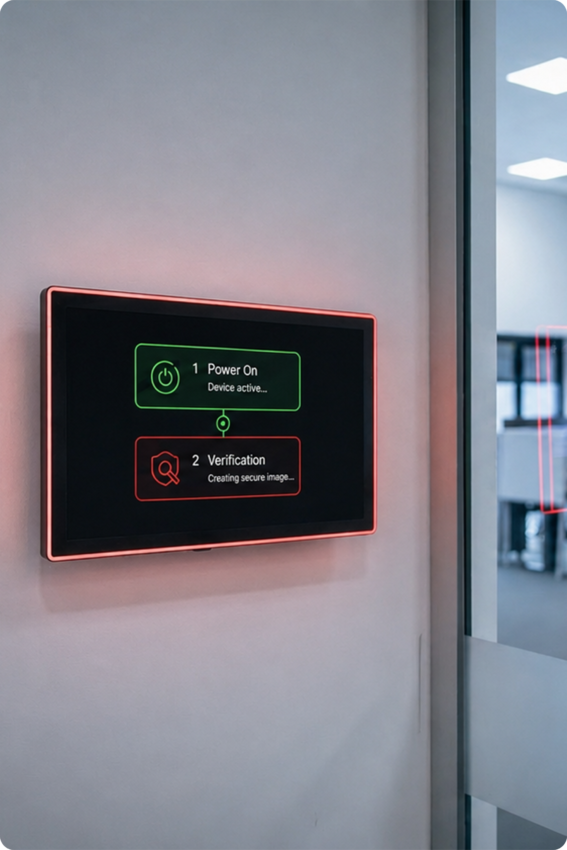
Security doesn't start once Android has loaded. It actually starts before the operating system even boots. Every new ProDVX device ships with the latest available firmware, and all devices running A26 firmware or newer support Android Verified Boot. Every time the device starts, it automatically verifies that the operating system hasn't been modified or tampered with before Android is allowed to load.
On top of that, ProDVX devices only accept officially signed firmware. That means unauthorized or modified firmware simply cannot be installed, providing another important layer of protection against malware and firmware manipulation. This also helps protect customer data. For example, if someone attempted to install malicious firmware designed to steal sensitive information, the device would refuse to boot. The only way to recover the device would be to completely erase it first, ensuring that any personal or business data remains protected.
ProDVX API
For customers who want to build their own management or security layer or manage it more dynamically, there's another option.
The ProDVX API provides secure access to selected system functions, allowing developers to create their own integrated and manageable security solutions that fit their specific deployment requirements. For more technical information, see the A26 firmware whitepaper.
Supporting compliance with the EU Radio Equipment Directive (RED)
For organizations operating in regulated industries, all of these security measures also help support compliance with the EU Radio Equipment Directive (RED).
As cybersecurity requirements become an increasingly important part of procurement processes, having devices that are designed with these security requirements in mind can make compliance discussions much easier.
One thing I always tell customers is that effective device security isn't about a single feature. It's about combining multiple layers that work together. Automatic updates, long-term security support, centralised device management, user restrictions, firmware protection, secure boot, API integrations and regulatory compliance all contribute to a stronger overall security strategy.
When those layers work together, you stay in control of your deployment. Your devices do exactly what they're intended to do, and nothing more. Ultimately, that's what most organisations are looking for: secure, reliable devices that continue to perform throughout their entire lifecycle.

Let us know!