Explore the technical capabilities available in ProMGR for configuring,
securing and managing ProDVX Android devices. Some core capabilities are
also available remotely, while ProMGR Remote Service provides additional
remote management capabilities.
Available in ProMGR, with selected capabilities also accessible remotely
through ProMGR Remote Service.
Configuration management
Create, edit and save device configurations for reuse across your deployments.
Device provisioning
Prepare and activate devices using predefined provisioning profiles with the required configurations and settings.
Centralized storage and management
Store and manage provisioning files, applications and configurations in one central environment.
Configuration, application and content deployment
Apply configurations locally via USB, or remotely push configurations, install applications and load content with ProMGR Remote Service.
Kiosk mode
Lock the device into browser, single-app or launcher mode to prevent users from accessing unwanted apps, settings or system functions.
Device security policies
Apply security settings, restrict access to system functions and
prevent unauthorized changes to the device.
User management
Create and manage users, access levels and permissions within your ProMGR environment.
Device organization
Organize devices, manage users and configurations, and maintain a central overview of your fleet.
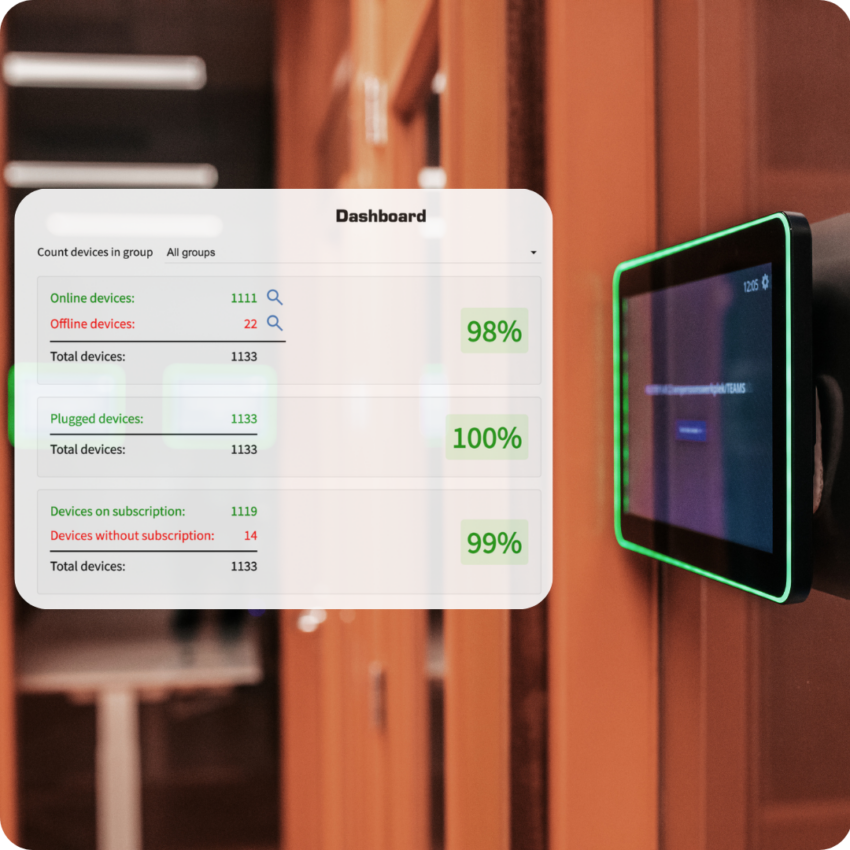
Device monitoring and heartbeat
Monitor device status, view basic device information and check whether devices are online and communicating.
Device configuration and maintenance
Adjust device settings, configurations and policies locally, or remotely with ProMGR Remote Service, throughout the device lifecycle.
Local ProMGR API
Use the local ProMGR REST API to integrate supported device information
and actions into your own software environment.
These capabilities are specifically available through ProMGR Remote Service, making day-to-day device management easier by allowing you to perform supported actions remotely.
Remote screenshot overview
View screenshots from managed devices to verify what is being displayed
and identify potential issues.
Remote device control and reboot
Control essential device functions and reboot devices remotely without requiring physical access.
Remote commands
Execute administrative commands remotely to manage device behavior, settings and operation.
Remote scheduling
Schedule remote actions to run automatically at a set time or on a recurring basis.
Remote troubleshooting and support
Troubleshoot device issues from a distance. If additional assistance is needed, access can be granted to ProDVX Support.
Remote file management
Access and manage files on devices remotely, making it easier to update, exchange or maintain device content without being on-site.
Remote firmware updates
Schedule and manage firmware updates remotely on managed devices.
Certificate installation
Install certificates on devices remotely, for example to support IEEE 802.1X network authentication.
Availability of specific features may depend on the device model,
firmware version or subscription status.